Divina Smelko
The University of Arizona Global Campus
Edu 620: Meeting Individual Students Needs with Technology
Dr. Sorensen
March 10, 2025
Technology/Digital Tool #1
nology Tool #1: Google Classroom
https://edu.google.com/intl/ALL_us/workspace-for-education/products/classroom/

Explanation of Technology Tool:
Google Classroom is a new generation teaching platform that accommodates educators, making their duties and responsibilities easier. Using google Classroom teachers acquire adequate time to support their students and encourage student skills development and organization. It provides ways to customize and supports differentiated instructions. “Create interactive assignments, even from existing PDFs and Google Forms, that also provide real-time student feedback and resources”(Google for Education n.d. 3-6). The platform is accessible wherever when internet is available.
ver when internet is available.
Example
Engagement and Collaboration:
Integrating the Google Workplace app simplifies learning by providing students access to direct engagement with school activities and communication between teachers and advisors, Google for Education (n.d.) said, ” These apps allow you to do a variety of things: create topic-specific lessons with videos and voice-overs, add formative assessments, analyze students’ performance, and provide feedback. Some are all-in-one solutions, enabling you to do everything in a single place”( para. 6).
Accessibility
Google for Education is a versatile learning technology that assists in classroom-efficient teaching. Popular Edtech apps are available for additional various tools uploads like Kahoot! Nearpod, and Book Widgets and many more (Google for Education n.d. para. 1-3). Its warrants secured browsing and accessibility to protect users’ privacy and security. Some limitations are internet reliability in some remote areas.
Technology/Digital Tool #2
Name of Technology Tool: Starfall (https://www.starfall.com/h/)
Explanation of Technology Tool
Starfall is a digital online platform that focuses on kids’ learning. The platform concentrates on teaching reading to young children, emphasizing learning activities through movies, songs, and math activities tailored to young learners (Coleman, 2022, December 7., para 5). It features primarily interactive learning activities such as educational games and videos supported by phonics.
Example
The digital properties attribute activities that are tailored to students’ ages. The feature below conforms to the Kindergarten and Grades 1,2,3 (Starfall accessibility information., n.d.):
- Some pages can be accessed by keyboard.
- Some pages are screen reader compatible.
- Some content has transcriptions and visual descriptions, found in the Transcripts & Visual Descriptions Index.(p.2).
The features detailed above features fun interactive learning activities which assist children learning developments.
Engagement and Collaboration:
Starfall promotes engaging, enjoyable learning features, furnishing unbiased learning opportunities. The platform encourages learning development for young learners starting preschool to 5th grade. Starfall (n.d.) implied, “The program emphasizes exploration, play, and positive reinforcement—encouraging children to become confident and intrinsically motivated” (p.1). The fun activities are engaging and teach young children about collaboration in learning at an early age.
Accessibility
Accessibility is easy through app downloading for teaching purposes, In addition, according to Starfall (n.d.) noted,“The Enhanced Accessible Index is easy to navigate with custom-designed activities that are screen-reader compatible, keyboard accessible, and completely captioned. Settings can be adjusted through Accessibility Options”(p.2). This platform is user-friendly and accessible anywhere with internet connection.
Technology/Digital Tool #3
Name of Technology Tool: Edpuzzle

Explanation of Technology Tool
Edpuzzle is a digital learning platform that supports educators in the classroom, empowered by abounding media. The system is directly connected with other powerful digital media platforms, such as Google Classroom and YouTube, for educational videos. (Edpuzzle n.d.). Edpuzzle provides interactive learning by accessing abundant educational videos supports educators in the classroom and provides students with a gratifying learning experience.
Example
Edpuzzle’s digital platform fosters an instructional setting. An easy AI for teachers –propagate assessments by grading simple questions, which assists educators’ busy schedules. It is equipped with various videos on different lessons for different learning levels (Edpuzzle n.d). The platform provides multiple interactive activities that bolster learning development and engagement.
Engagement and Collaboration:
Edpuzzle digital tool encourages engagement and collaboration through interactive and independent learning methods and learning outcomes. In addition, screen recording allows teachers to alter programs to meet their students’ equitable needs (Edpuzzle n.d). These options boost students’ motivation to learn and succeed It gives students the leverage to self-train. This digital tool facilitates motivation in students’ independent learning.
Accessibility
Edpuzzle video content is embedded on YouTube and other popular media platforms. Programs are also shared with parents, so they can access them in students’ home studies. According to Edwards, L (2023 August 17,) “Edpuzzle offers three different pricing options: Free, Pro Teacher, or Schools & Districts. The basic Free plans are available for teachers and students, giving access to more than 5 million videos, the ability to create lessons with questions, audio, and notes”(para. 18). In addition, it is a safe media platform as it is empowered with its safety protocol automatically blocks the prohibited downloading of videos. Like other digital platforms, one of its limitations is the area of internet availability.
Technology/Digital Tool #4
Name of Technology Tool: Magic School

Explanation of Technology Tool
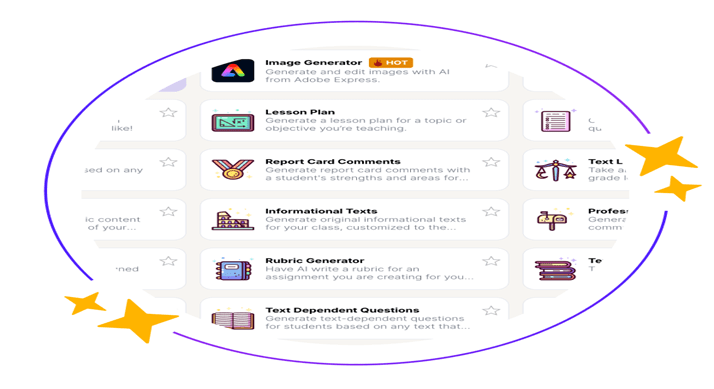
Magic School is an advanced platform run by AI innovation. This platform assists teachers in teaching tasks and responsibilities, such as creating customized instructions tailored to the subject they are teaching. It is user-friendly and creates assessments, fast gradings, and real-time feedback. This innovative platform is widely used in the United States and worldwide.
Example
MagicSchool is accommodating in connecting educators’ existing workflow. MagicSchool (n.d.) stated,” LMS integrations like Google Classroom and Canvas LTI to SSO integrations to 1-click exports into Google Docs, Microsoft Word and more”.(para.3). It also guarantees fast generation of applicable procedures “academic content, assessments, individualized IEPs, professional student/parent communication, and more” (MangicSchool n.d. para.3). MagicSchool AI platform is a compelling digital tool that provides advance teaching and learning strategies in the classroom.
Engagement and Collaboration:
The application of AI teaching methods encourages and promotes teaching and learning positive outcomes favored by both educators and learners. The tools provide students with learning experience that develops engagement in innovative skills that motivate creativity and critical thinking (MagicSchool n.d., p.2). For example, students can create videos for a study guide. This feature helps students engage with activities and build skills and talents.
Accessibility
(MagicSchool n.d.)
MagicSchool platform offers safety applications that protect users’ data and privacy. According to MagicSchool (n.d.), “Compliant with COPPA, GDPR, SOC 2, FERPA, and state privacy laws: Our platform respects the privacy of student and staff information with rigorous technical, administrative, and physical information security measures” (para.3-5). The platform is accessible and user-friendly, and it strives to ensure extraordinary teaching and learning experiences for teachers and students.
 Dismelkogmail
Leave a comment